
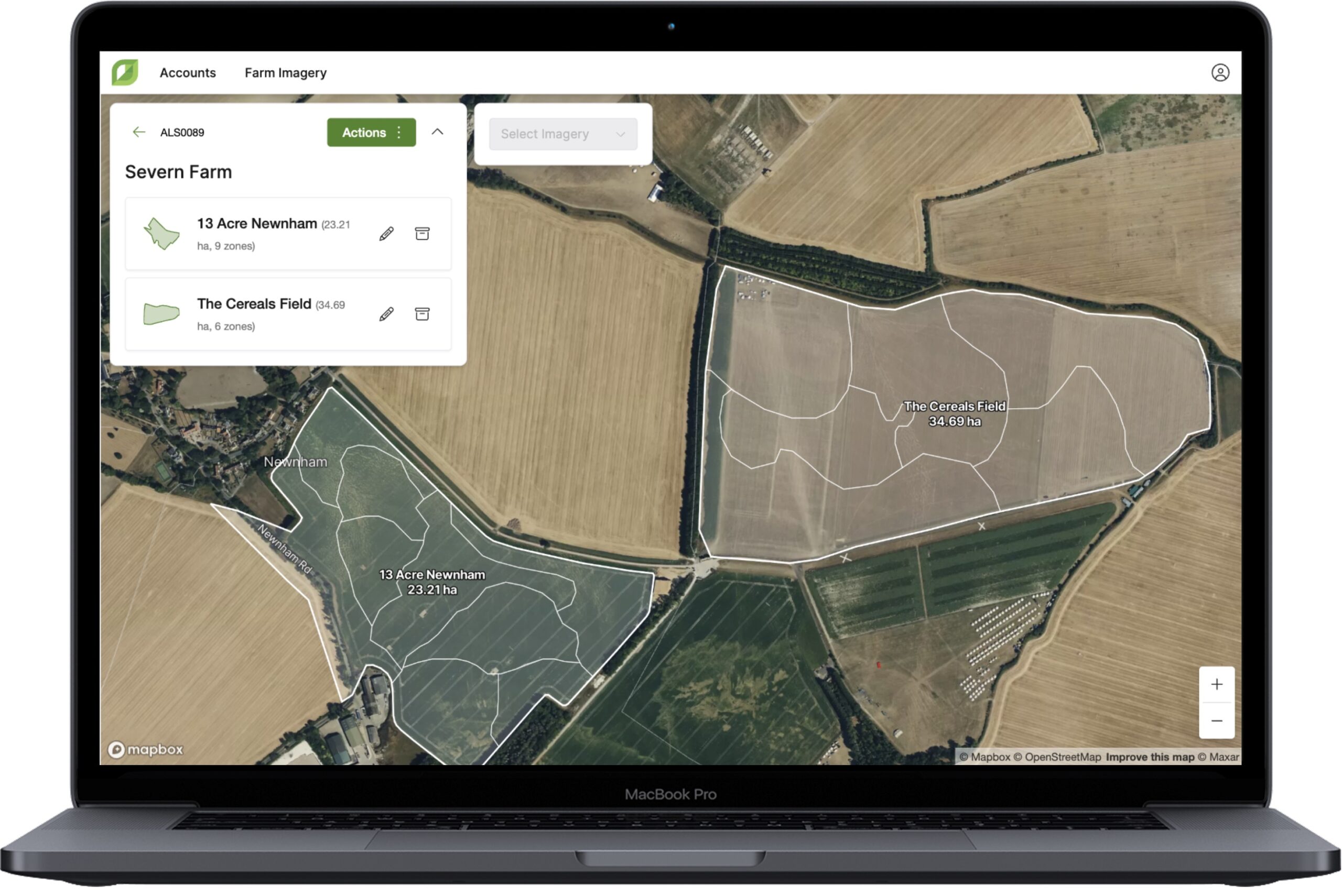
GROW – Admin Portal 1.18: Upload boundaries to create zoned fields
|

|
|

|
|
|
|

|
|

|
|
|
|
|
|
|
|
|
|
|
|
|
|
|
|
|
|
|
|
|

Today’s update releases the final parts of Integrated Pest Management plans on Contour, with the duplicate functionality and the ability…
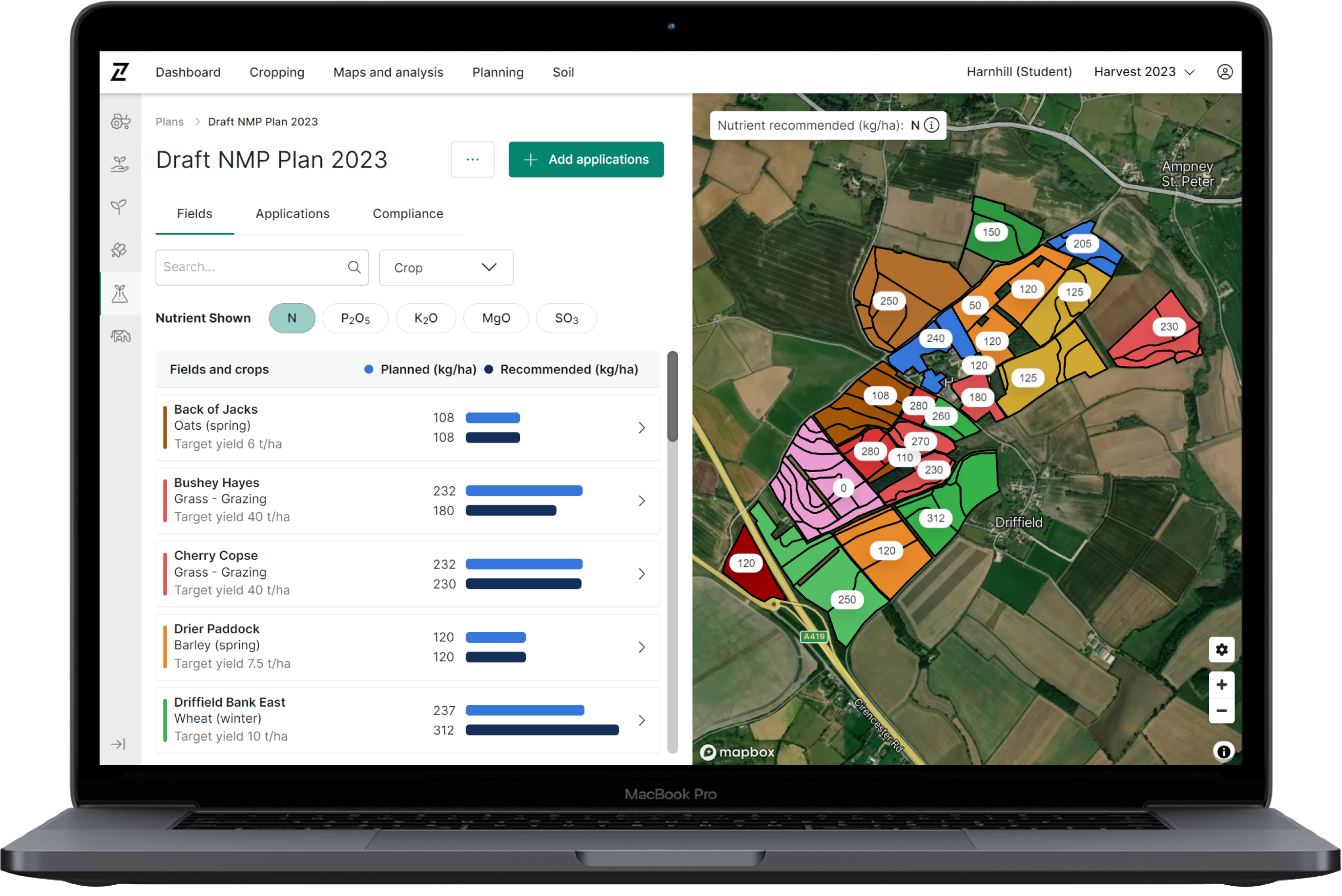
The new Contour Nutrient Planner is now available, enabling farmers and their advisors to make informed nutrition decisions quickly and…
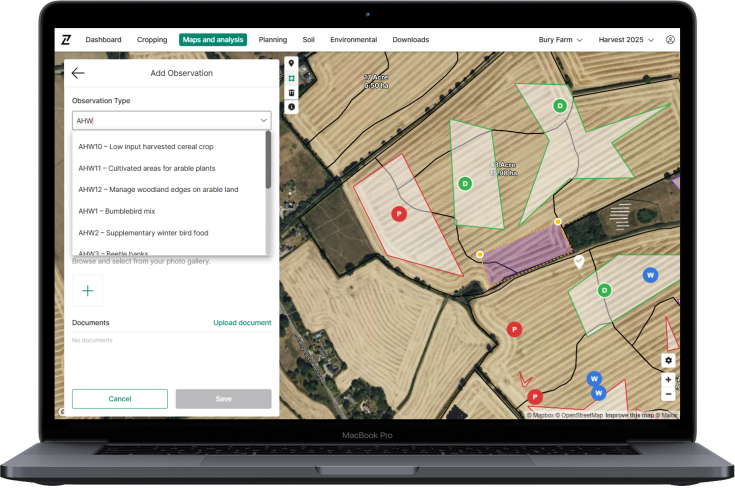
Today’s release adds over 100 new observation types to Contour observations under the Category of Sustainable Farming Incentive. You will now find…
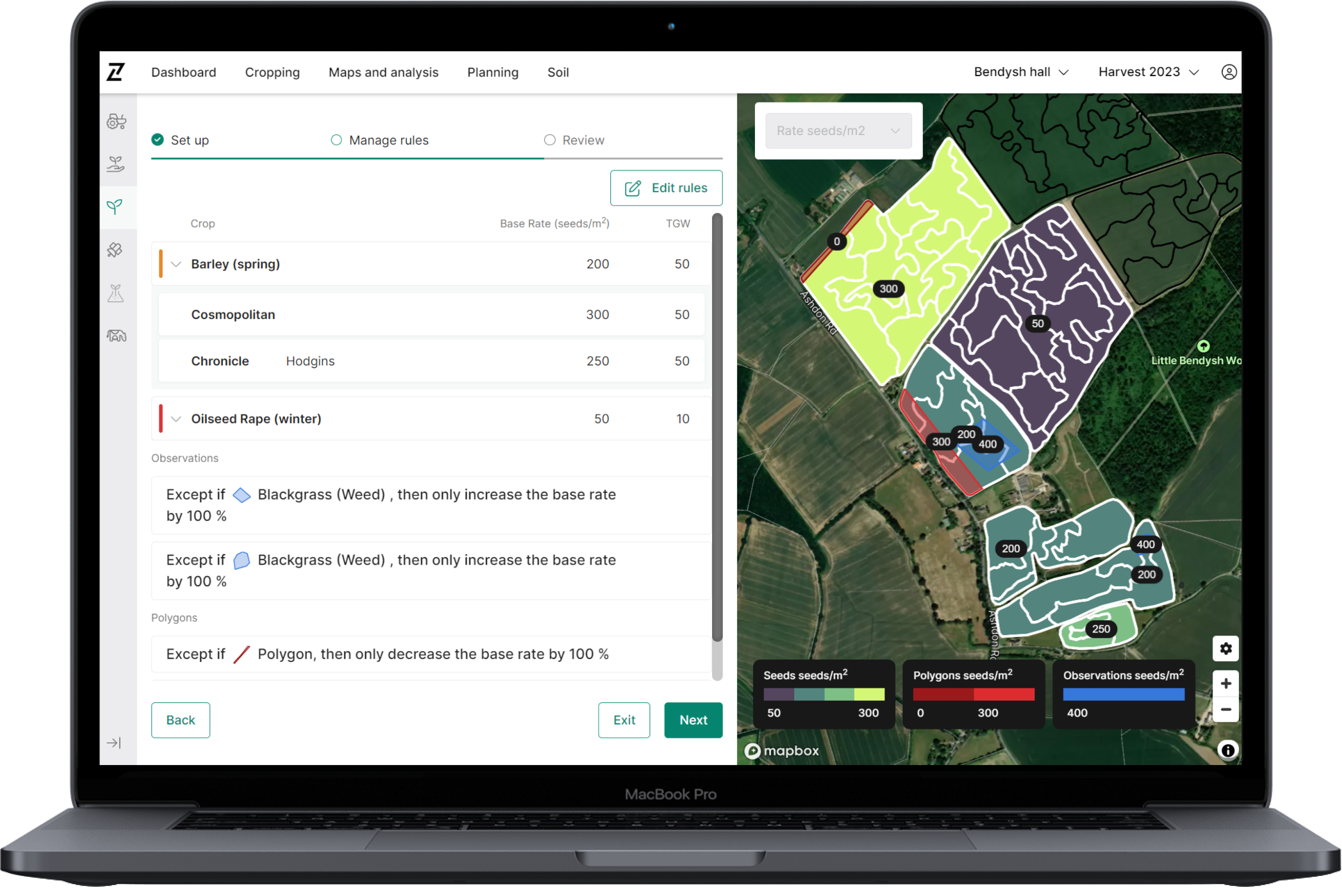
The new Contour Whole Field Seed Planning tool is now available, enabling all farmers to experience the benefits of digital…
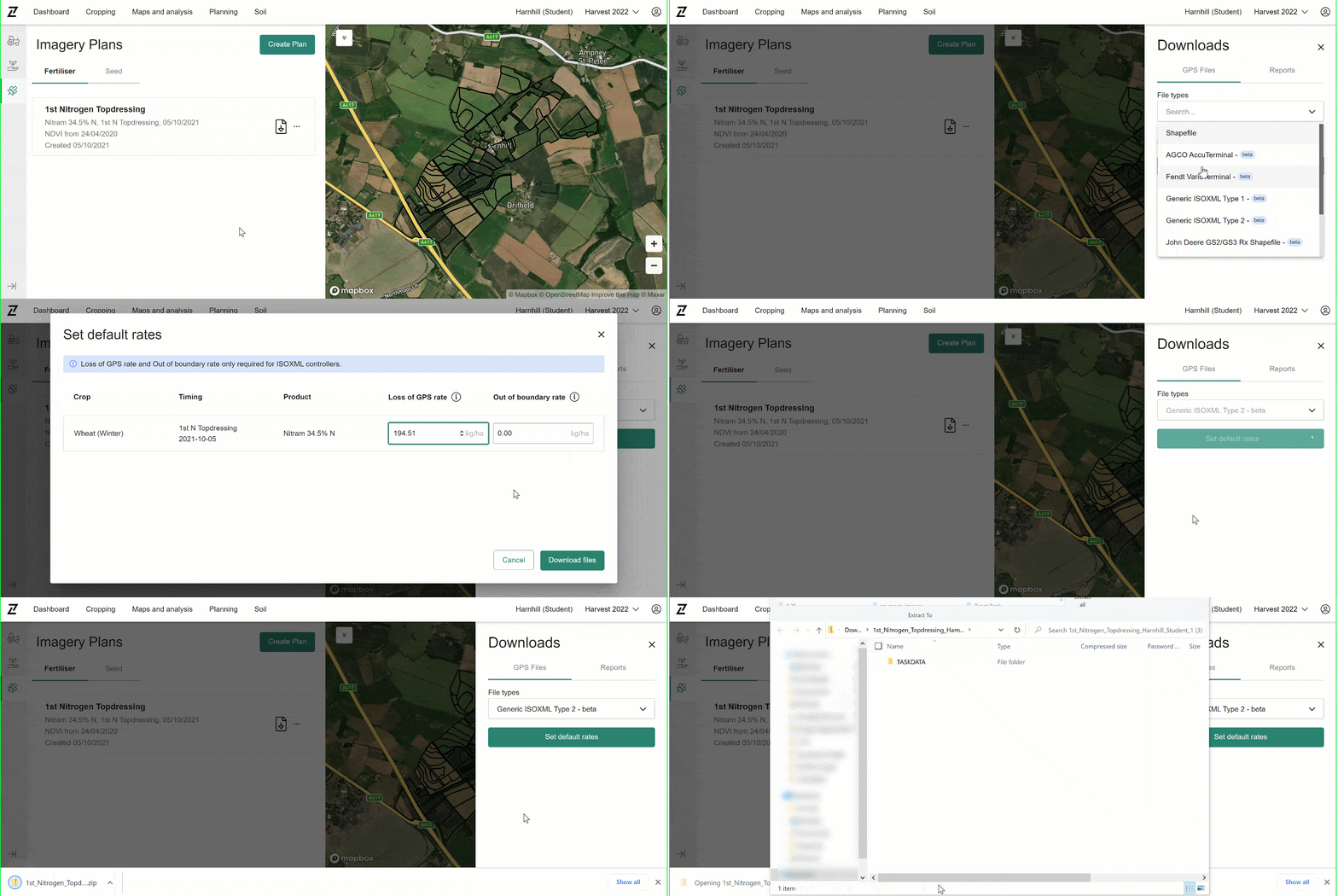
Today’s Contour release makes it simpler to implement your precision plans in each field. Here’s how: variable rate application files…
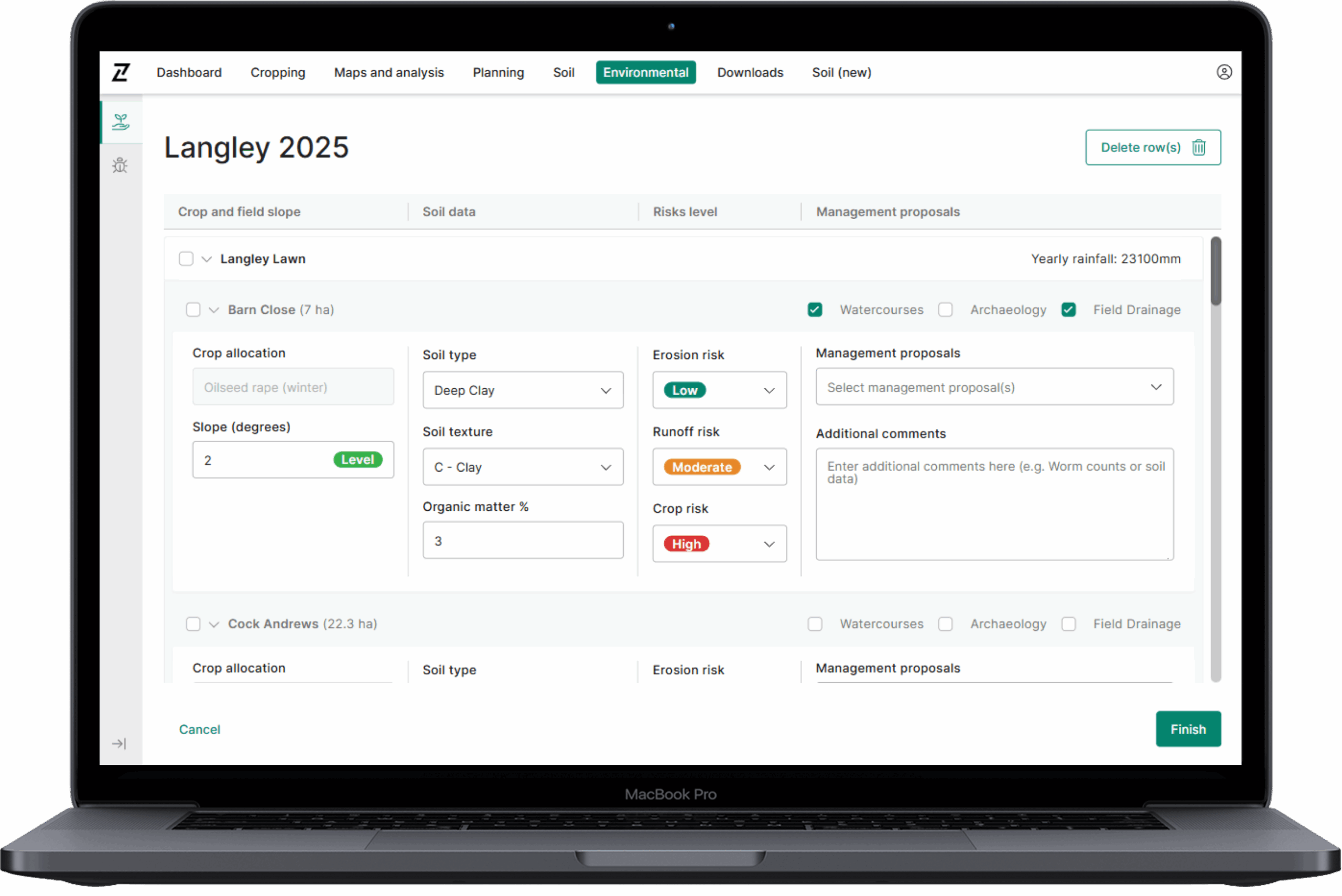
Our aim for this tool has been to make it as simple as possible, utilising the data from within Contour….
3.1. The primary purpose of using Cookies at Origin Digital is to provide an optimised user experience. Cookies help us tailor our Services to your needs and preferences. In this section, we outline some overarching Cookie Policy principles and describe the general types of Cookies we may use. This section will give you a better understanding of how we use Cookies generally to enhance your experience in our Services.
| Analytics Cookie Name | Expiration Duration | Description | Purpose |
|---|---|---|
|
_gcl_au |
3 months |
Google Tag Manager sets the cookie to experiment advertisement efficiency of websites using their services. |
|
-ga_* |
365 Days |
Google Analytics sets this cookie to store and count page views. |
|
-ga |
365 Days |
Google Analytics sets this cookie to calculate visitor, session and campaign data and track site usage for the site’s analytics report. |
| Strictly Necessary Cookie Name | Description | Purpose |
|---|---|
|
– |
– |
| Analytics Cookie Name | Expiration Duration | Description | Purpose |
|---|---|---|
|
_gcl_au |
3 months |
Google Tag Manager sets the cookie to experiment advertisement efficiency of websites using their services. |
|
-ga_* |
365 Days |
Google Analytics sets this cookie to store and count page views. |
|
-ga |
365 Days |
Google Analytics sets this cookie to calculate visitor, session and campaign data and track site usage for the site’s analytics report. |
| Functional Cookie Name | Expiration Duration | Description | Purpose |
|---|---|---|
|
– |
– |
– |
| Targeting Cookie Name | Expiration Duration | Description | Purpose |
|---|---|---|
|
– |
– |
– |
| Social Media Cookie Name | Expiration Duration | Description | Purpose |
|---|---|---|
|
– |
– |
– |
© 2026 Origin Enterprises Digital Limited