
Contour – Flexible Cropping – Now Available
|
|
|||||||||||||||||||||||
|
|
|
|||||||||||||||||||||||
|
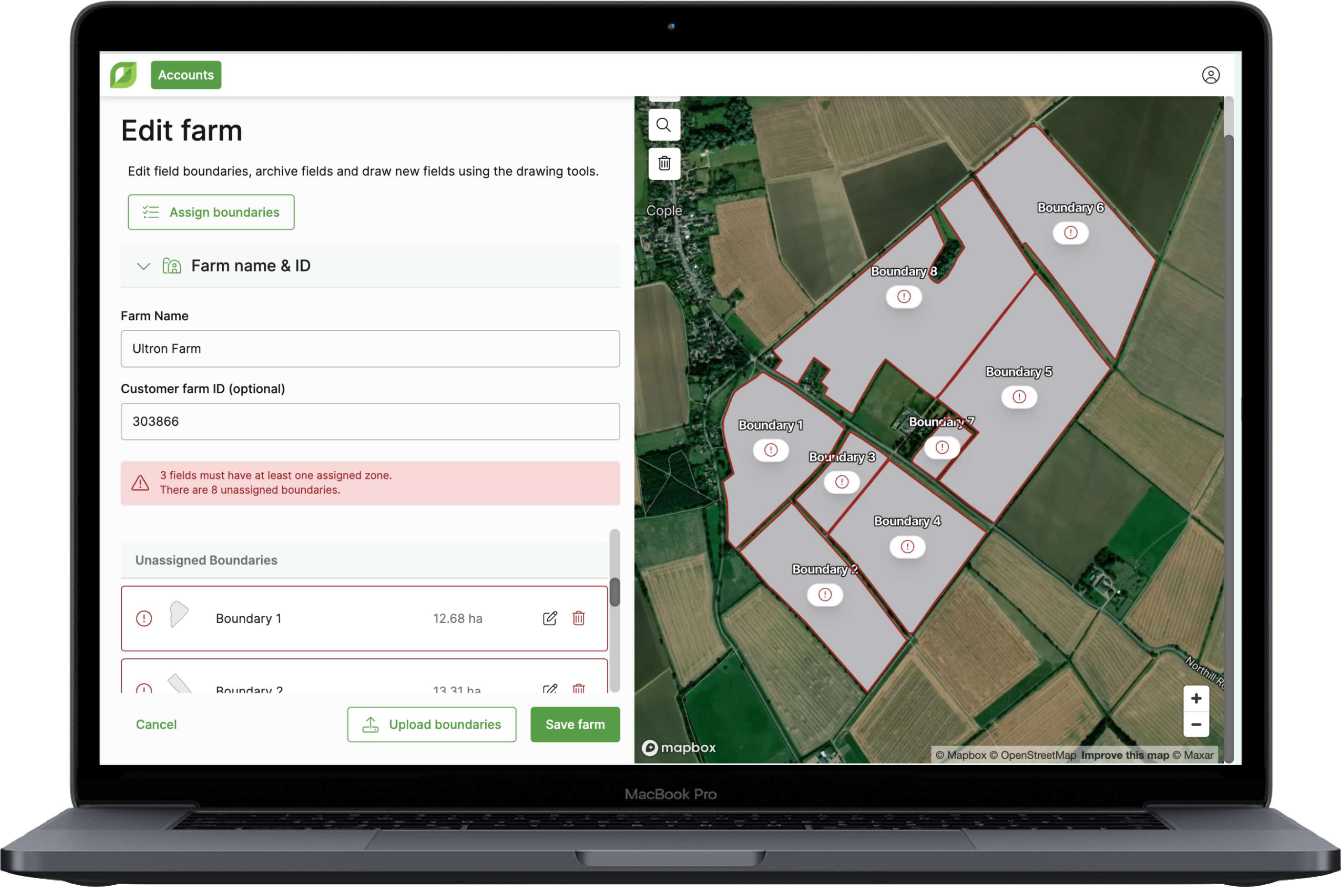
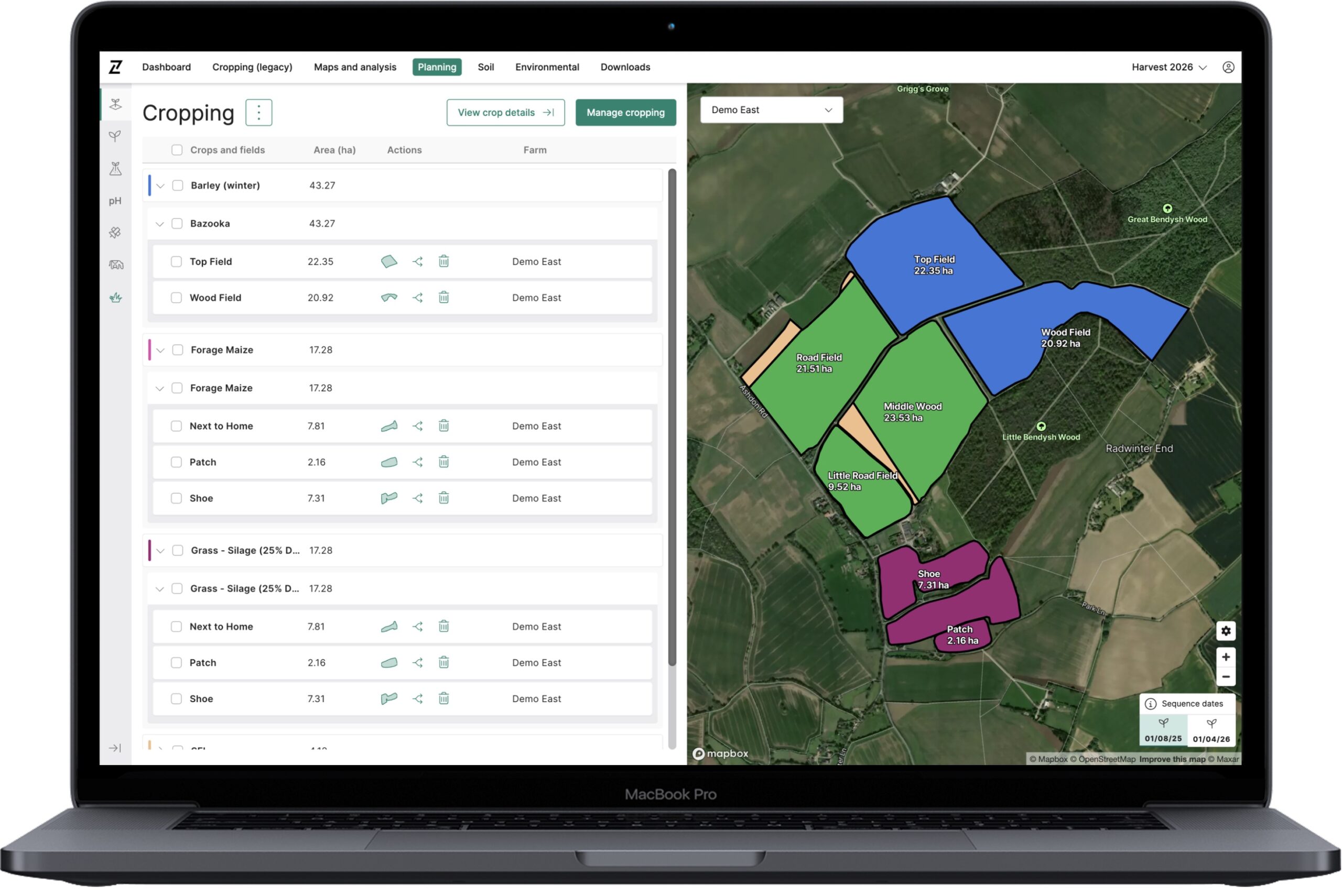
The latest GROW release includes fixes for key issues identified from our soft launch with the Rhiza Admin Teams. This includes: Updates…
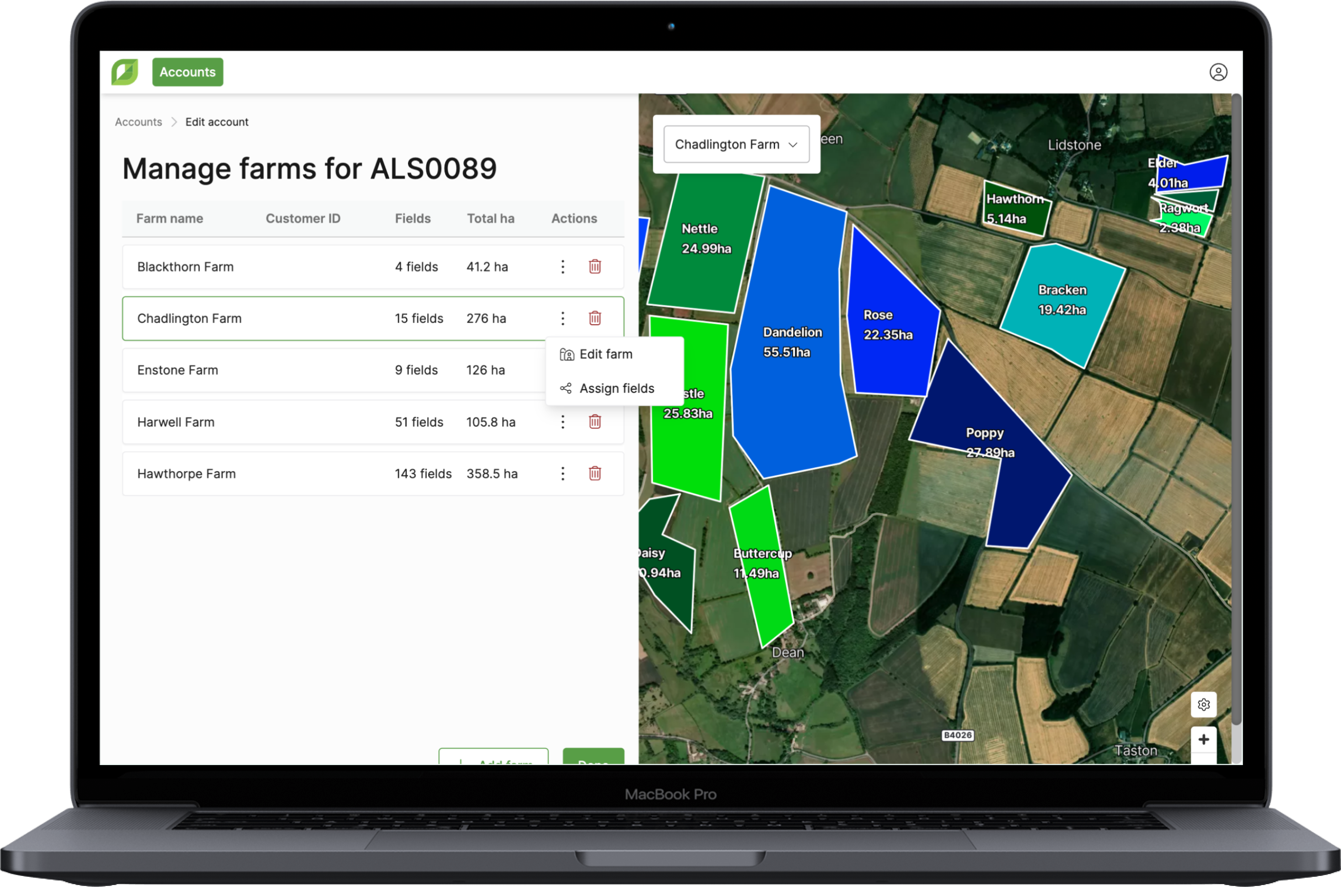
Assign fields, editable zone names and editable field IDs In today’s update you can now assign fields from one farm…
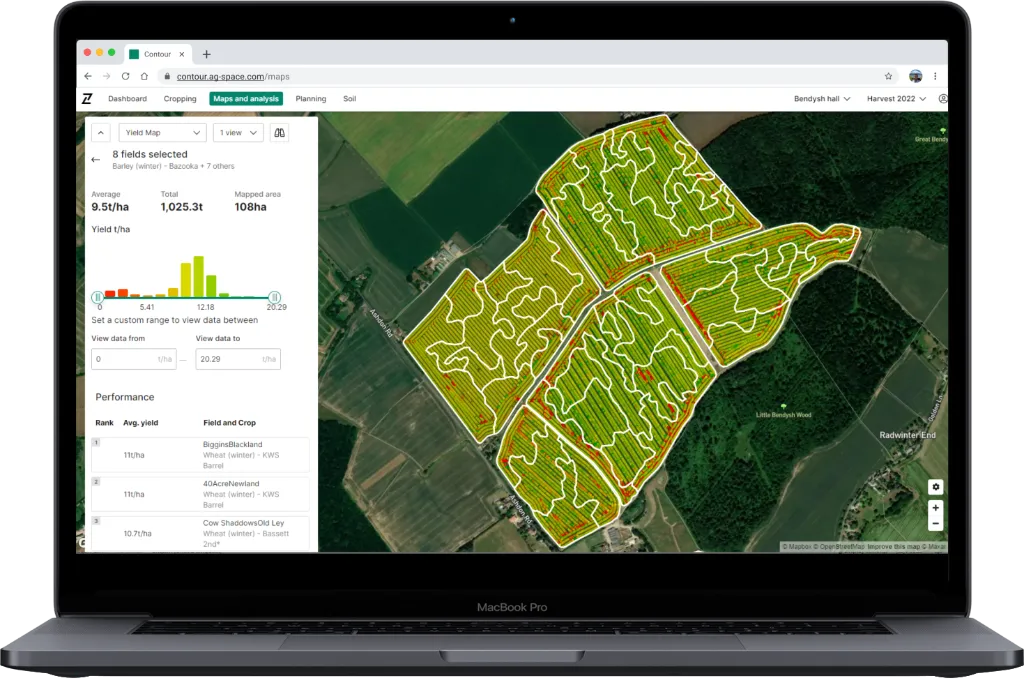
Get ready for deeper analysis with today’s release of yield map functionality in Contour 2.4. We’ve packed this update with…
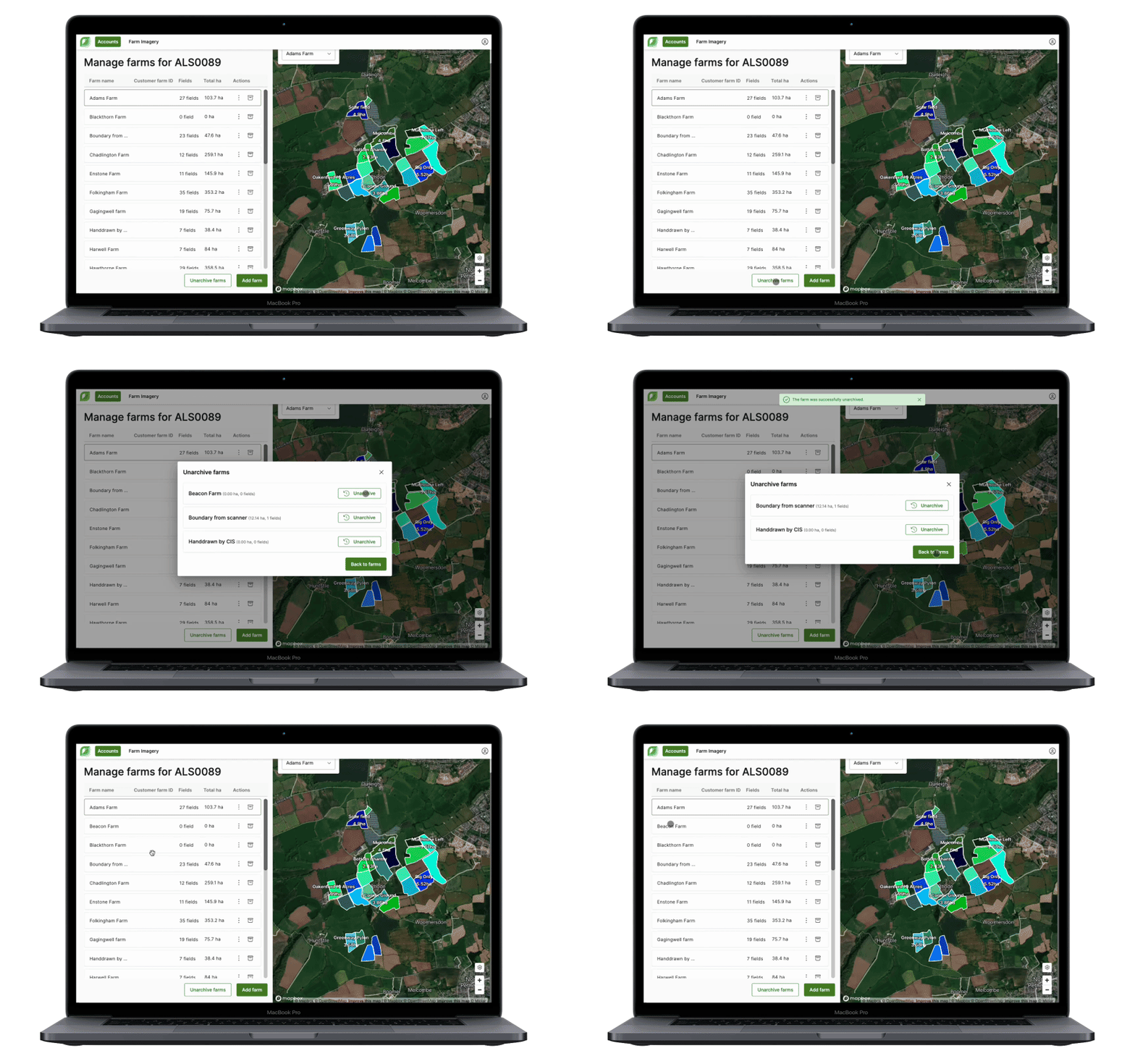
Here’s how it benefits you: Manage all farms and fields in one place with a modern interface. These enhanced tools make it…
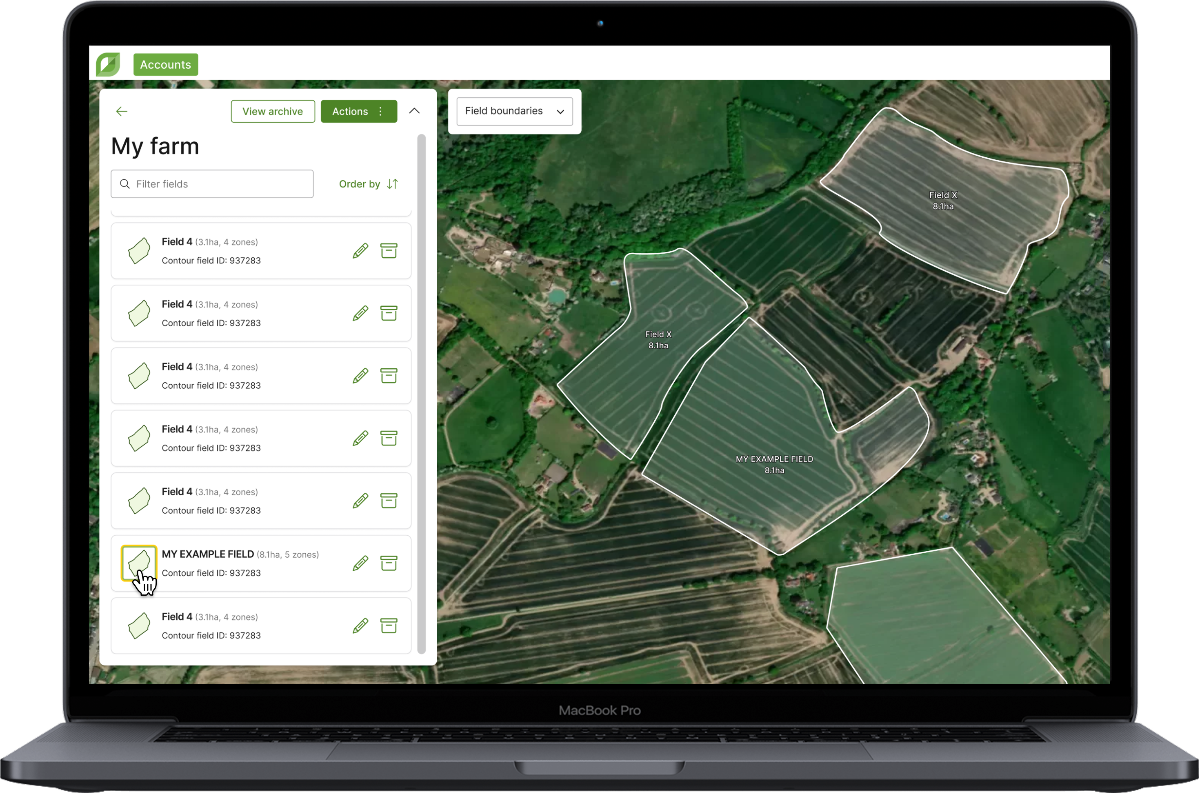
Here’s how it benefits you: We’ve made it easier to locate fields when managing larger farms. Scanning through long field…
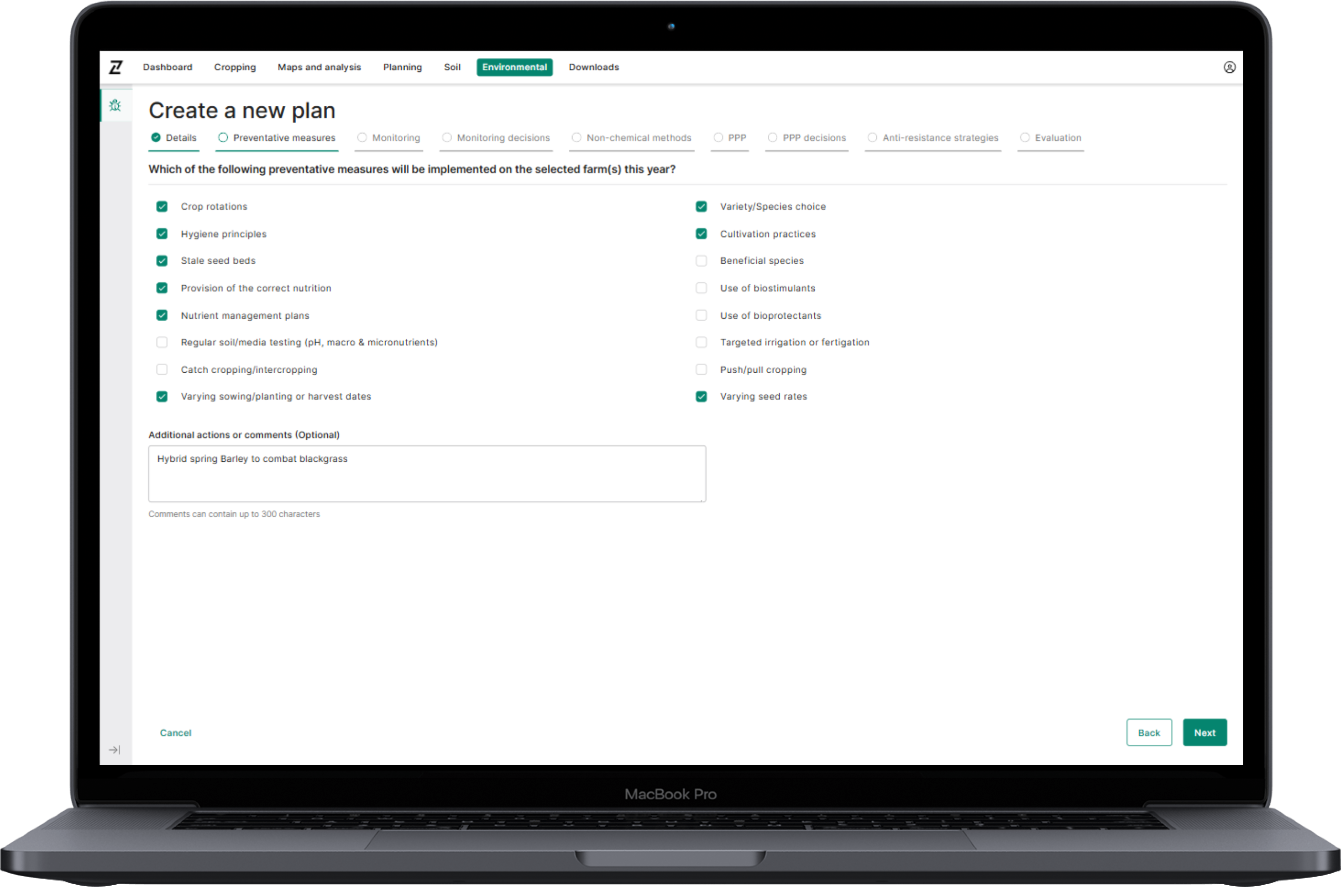
Today’s update is the launch of our Integrated Pest Management planning tool in Contour. The options in the plan cover…
3.1. The primary purpose of using Cookies at Origin Digital is to provide an optimised user experience. Cookies help us tailor our Services to your needs and preferences. In this section, we outline some overarching Cookie Policy principles and describe the general types of Cookies we may use. This section will give you a better understanding of how we use Cookies generally to enhance your experience in our Services.
| Analytics Cookie Name | Expiration Duration | Description | Purpose |
|---|---|---|
|
_gcl_au |
3 months |
Google Tag Manager sets the cookie to experiment advertisement efficiency of websites using their services. |
|
-ga_* |
365 Days |
Google Analytics sets this cookie to store and count page views. |
|
-ga |
365 Days |
Google Analytics sets this cookie to calculate visitor, session and campaign data and track site usage for the site’s analytics report. |
| Strictly Necessary Cookie Name | Description | Purpose |
|---|---|
|
– |
– |
| Analytics Cookie Name | Expiration Duration | Description | Purpose |
|---|---|---|
|
_gcl_au |
3 months |
Google Tag Manager sets the cookie to experiment advertisement efficiency of websites using their services. |
|
-ga_* |
365 Days |
Google Analytics sets this cookie to store and count page views. |
|
-ga |
365 Days |
Google Analytics sets this cookie to calculate visitor, session and campaign data and track site usage for the site’s analytics report. |
| Functional Cookie Name | Expiration Duration | Description | Purpose |
|---|---|---|
|
– |
– |
– |
| Targeting Cookie Name | Expiration Duration | Description | Purpose |
|---|---|---|
|
– |
– |
– |
| Social Media Cookie Name | Expiration Duration | Description | Purpose |
|---|---|---|
|
– |
– |
– |
© 2026 Origin Enterprises Digital Limited